Add-on is a part of SEO package for CS-Cart (comes for free for the owners of the package with an active subscription for update).
What an issue for SEO promotion does the add-on solve?
Very often (especially for promoted SEO studios websites) a page (or even a group of pages) must be promoted by a specific city or a group of cities. As an example such a request may be:
• “Buy iphone14 in New York”
• “Buy iphone14 in Los Angeles”
• “Buy iphone14 in Chicago”
• and so on.
As a standard, store owners use one category page or SEO page for filters, adding to its meta tags all possible cities. However the efficiency of such a practice is pretty low, though it is determined with a basic technical ability of any CMS. Any competitor that makes a promotion at a separate physical page for a concrete city will be higher in the search engines than one page promoted for all cities.
How does the add-on solve an issue to promote store pages for a particular city?
Add-on creates and supports a management for all necessary SEO attributes of a page as follows:
• mydomain.com/new-york/phones/iphones14/
• mydomain.com/los-angeles/phones/iphones14/
• mydomain.com/chicago/phones/iphones14/
• and so on
Add-on does not use subdomains of the website to promote cities!!!
Subdomains promotion needs a large budget as each subdomain is a separate website for a search engine. Correspondingly your charges at SEO will increase proportionally to city quantity that you wish to promote.
Video with add-on in work
Core capabilities and benefits to use the add-on:
Create and manage locations
Location
is a city, state or district where there is a perspective for search
promotion at your business.
Add-on
adds the possibility to create locations with SEO names that can be
used for search promotion together with category pages, SEO pages for
filters (when the add-on “SEO pages for filters” is installed)
and Home page.
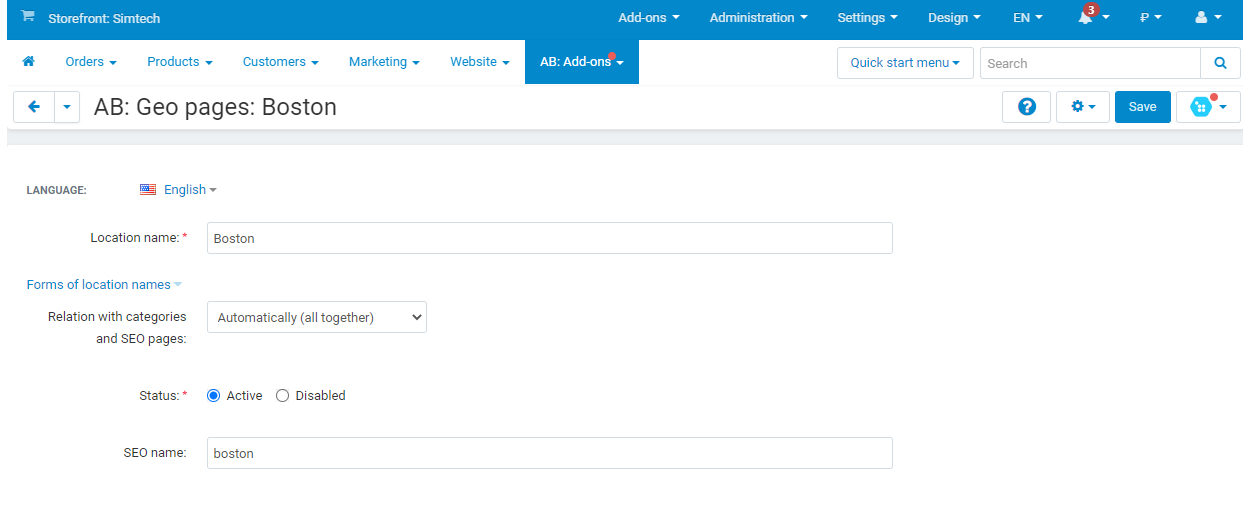
Two methods of location connection is provided: automatic and manual.
It allows to set location as for massive usage (for categories, SEO
pages for filters) as well as for individually selected
pages.
When
creating locations, word forms of pages are supported as well: you
can use 7 different location forms separately, for example, New York,
New York City, New York City (NYC) etc.
Create and manage templates of attributes of geo pages
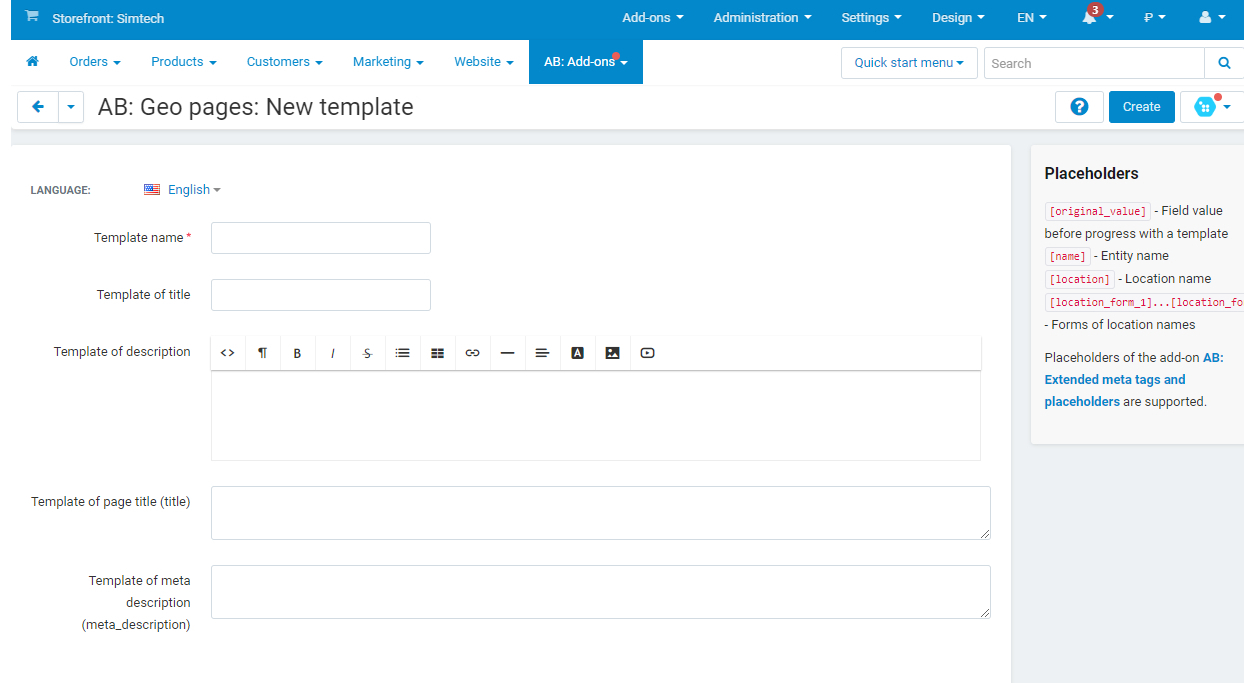
Template
serves to manage attributes of geo pages where placeholders help to
fill a name, description and meta data dynamically. All fields
on the template page are multilingual. It allows to set SEO-data for
all languages at once as well as for each language individually.
You
can create unlimited number of different templates and activate them
to create geo pages for different categories. It adds more
flexibility if you need different methods of promotion of one or
another category page (SEO pages for filters).
Activate geo pages for categories
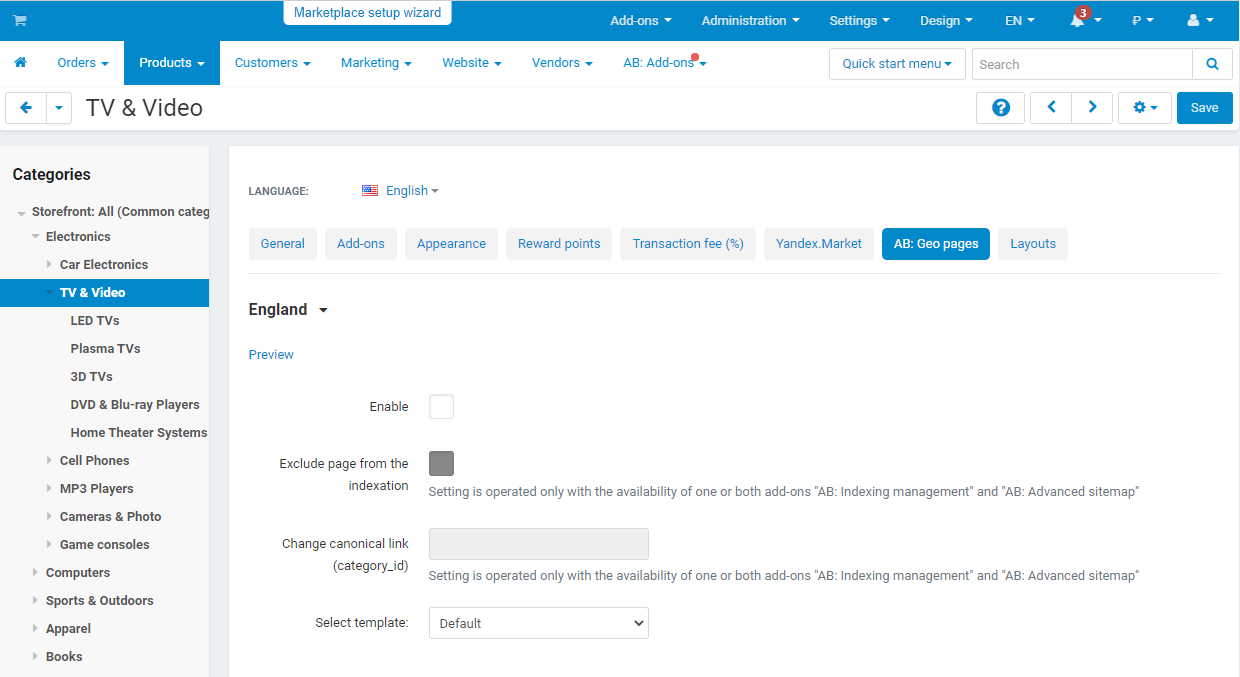
After
creating the first location on the editing category page, a new tab
“AB: Geo pages” is available where settings allow to manage geo
pages individually for each category page. Website administrator can
apply locations with a manual mode of connection as well as select
the most suitable template for the category or create his own
template.
Display a list of all available geolocations on the storefront
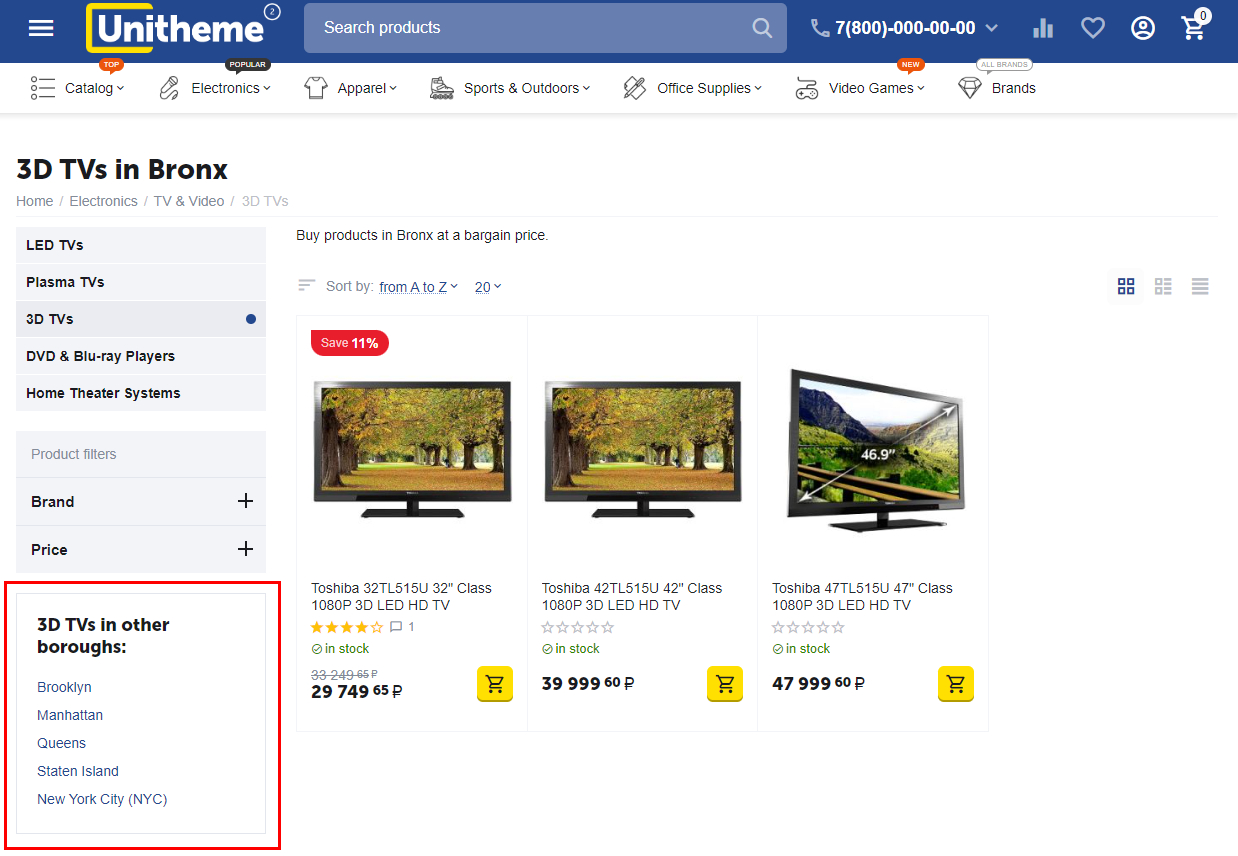
Add-on
allows to display a link of all available geolocations on the
storefront, you shall add a block “AB: Geo pages” to a layout
page of the category and Home page. Using wrapper of a block, it is
possible to set maximally suitable appearance of the block. And using
templates of a block, it is possible to locate a list of geolocations
separated by a comma or in column.
Placeholders from a category pattern are available for the template of geo pages (integration with the add-on “AB: Advanced meta tags and placeholders”).
During the integration with “AB: Advanced meta tags and placeholders” add-on,
placeholders from a category pattern are available for the template
of geo pages. Extended placeholder list allows to manage geo pages
more flexible and pointwise.
Add links of geo pages to the XML sitemap (integration with the add-on “AB: Advanced sitemap”)
Thanks to integration with the “AB: Advanced sitemap” add-on, Home page and
categories pages that have their own geo pages, can be added to the
sitemap.
SEO pages for filters can consist of their own geo pages (integration with the add-on “AB: SEO pages for filters”)
Thanks to integration with the “AB: SEO pages for filters" can have its own geo pages
that can be added to sitemap (when the add-on “AB: Advanced
sitemap” is installed).
Exclude geo pages from the indexation and change canonical link (integration with the add-on “AB: Indexation management”)
“АВ: Indexation management” add-on
allows to include geo page of a category from
indexation and change canonical link. The settings are located on the
editing category page in the tab “АВ: Geo pages” that allows to
manage indexation for each category page separately.